
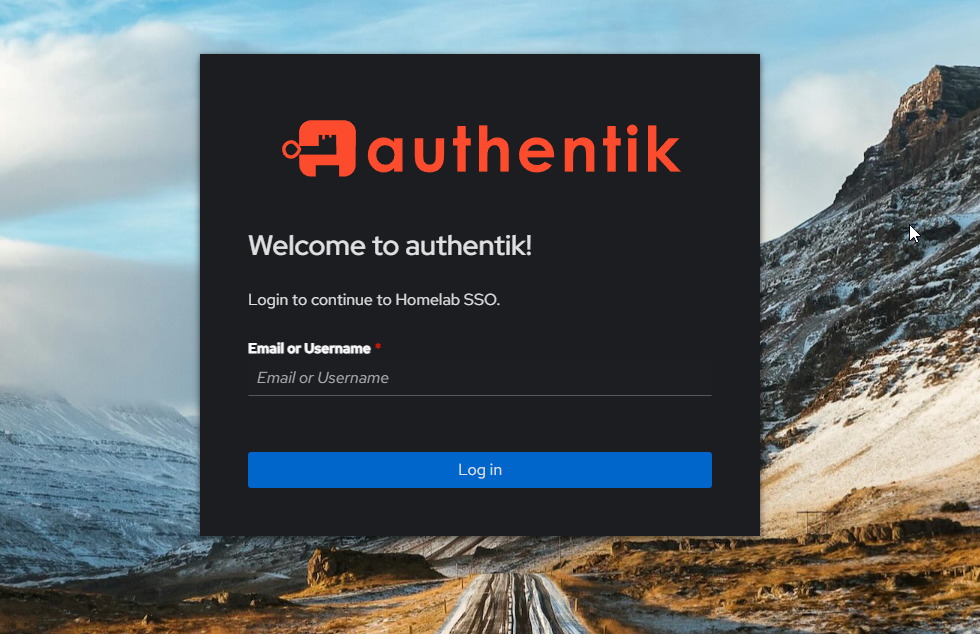
Self-hosted infrastructure has a quiet security problem most people don't talk about: the services are usually protected by each application's own login form, which means each application has its own password, its own user database, and its own session handling – of wildly varying quality. The password you use for Jellyfin is probably not the same one you use for Portainer, which is definitely not the same one you use for the Proxmox web UI. And if you're being honest, some of those passwords are the same password you used in 2019.
The fix is single sign-on: one identity provider, one login, one session that unlocks everything. In enterprise environments this is Okta, Azure AD, or Google Workspace. In self-hosted environments, the best open-source option is Authentik – a production-grade identity provider that supports OIDC, SAML, LDAP, and the pattern I'll focus on in this post, forward authentication via a reverse proxy.
The goal: put one SSO login gate in front of every service in my lab, so that logging in once gives me access to all of them for the duration of a session. And make it work without modifying the services themselves, because most of them don't support OIDC anyway.
This is the story of how that went – including the parts where it didn't.
The three modes, and why the choice matters
Authentik's forward auth provider has three configuration modes, and picking the wrong one leads to hours of confusing errors. The modes are:
Single application mode. One Authentik provider protects one specific service. Each service gets its own provider, its own application definition, its own middleware. This is the right choice when you want different services to have different access policies – maybe Grafana is open to all employees, but Portainer is restricted to admins.
Forward auth (single application) – per-service. Similar to single application mode but via forward auth specifically. Still one provider per service.
Forward auth (domain level). One Authentik provider covers an entire domain and all its subdomains. A single login to something.example.com produces a cookie scoped to example.com, which is automatically valid for every *.example.com request after that. One provider, one login, every service behind it.
I tried single-application first. It was the default in the Authentik docs I was reading, and it seemed like a sensible "start small and expand" approach. It also immediately broke with a confusing "Not Found" error the moment I hit the protected Grafana URL – because single-app mode expects the request to match an application by exact URL, and forward auth from Traefik doesn't give Authentik enough information to do that match cleanly across subdomains.
Domain-level was the right answer from the start. For a personal lab or any setup where the same identity policy applies across most services, one provider with Cookie domain: node.hexie.dev and Mode: Forward auth (domain level) is the pattern you want. The documentation doesn't make this obvious because the first example in most cases is single-application.
If I were setting this up for a client: domain-level by default, single-application only when there's a specific reason to isolate a service. The reason isn't security – domain-level is fine security-wise – it's simplicity. One provider, one outpost, one set of labels, one login.
The architecture, once you know what you're doing
Here's the end state I converged on. Three pieces, each doing one job:
Authentik running as the identity provider – two containers (authentik-server and authentik-worker) plus a Postgres database and a Redis cache, managed as a single compose stack. This is where users live, where authentication happens, where session cookies are issued, and where the admin UI lives.
A Traefik forward auth middleware defined once in the Authentik server's compose labels, pointing at Authentik's outpost endpoint:
traefik.http.middlewares.authentik.forwardAuth.address: http://authentik:9000/outpost.goauthentik.io/auth/traefik
traefik.http.middlewares.authentik.forwardAuth.trustForwardHeader: true
traefik.http.middlewares.authentik.forwardAuth.authResponseHeaders: X-authentik-username,X-authentik-groups,X-authentik-email,X-authentik-name,X-authentik-uid,X-authentik-jwt
A one-line addition to each service's HTTPS router that chains the middleware into the request path:
traefik.http.routers.grafana-https.middlewares: authentik
That's the whole pattern. The middleware is defined once; each protected service opts in with a single label. When a request arrives at grafana.node.hexie.dev, Traefik sees the middleware, calls Authentik's outpost to ask "is this request authenticated?", and either forwards the request through (if yes) or redirects the user to the Authentik login page (if no). After login, Authentik sets a domain-scoped cookie, redirects back to the original URL, and from then on every request to every *.node.hexie.dev service carries that cookie and is passed through automatically.
The user experience: hit any protected service, get the Authentik login screen, log in once, and every other service is already logged in.
The bugs worth knowing about
This is the part most tutorials skip. The flow I just described took me a while to get working, because three specific things broke along the way – and two of them are subtle enough that they're worth documenting in detail so the next person (including future-me at a client site) doesn't have to debug them from scratch.
Bug 1: The "Not Found" at the application layer
Symptom: the moment I added the middleware to a service and hit the URL, I got Authentik responding with a generic "Not Found" error. Not a login page, not a redirect – a 404 from Authentik itself.
Cause: I was in single-application mode, and the Authentik provider was configured to match requests to one specific application, but the forward auth header coming from Traefik didn't carry enough context for Authentik to match it to the application.
Fix: switch the provider to domain-level mode. Once the provider knows "I cover the whole *.node.hexie.dev domain, any request on any subdomain should go through the same auth flow," the match succeeds and the user gets the login page instead of a 404.
The subtle part: the Authentik docs present single-application as the simpler starting point, and if you don't read carefully you end up down that path first. The naming convention is also misleading – "single application" sounds more restrictive and therefore safer than "domain level," but the restriction is a configuration burden, not a security guarantee. Domain-level is the sensible default for a multi-service setup.
Bug 2: The outpost callback missing across subdomains
Symptom: after fixing mode, the login page now appeared correctly at grafana.node.hexie.dev. I could enter credentials, Authentik would process the login, and then the callback to complete the flow would fail with a 400. The logs showed "mismatched session ID" and "invalid state".
Cause: OIDC flows use a callback URL with a code and a state parameter, and the callback is specific to where the service lives. For a Grafana protected by forward auth, the callback URL is something like https://grafana.node.hexie.dev/outpost.goauthentik.io/callback. That URL needs to be routed back to Authentik (not to Grafana, which doesn't know what to do with it), but Traefik's routing was sending the entire grafana.node.hexie.dev hostname to Grafana – including the /outpost.goauthentik.io/ path.
Fix: add a special Traefik router in the Authentik compose labels that catches requests matching HostRegexp: {subdomain:[a-z0-9-]+}.node.hexie.dev AND PathPrefix: /outpost.goauthentik.io/, and routes them to the Authentik service regardless of which subdomain they came in on:
traefik.http.routers.authentik-outpost.rule: HostRegexp(`{subdomain:[a-z0-9-]+}.node.hexie.dev`) && PathPrefix(`/outpost.goauthentik.io/`)
traefik.http.routers.authentik-outpost.entrypoints: websecure
traefik.http.routers.authentik-outpost.tls: true
traefik.http.routers.authentik-outpost.tls.certresolver: cloudflare
traefik.http.routers.authentik-outpost.service: authentik
This is the single most important label block in the entire setup, and it's the one nobody mentions in casual blog posts. What it does is claim the /outpost.goauthentik.io/ path on every subdomain and send it to Authentik, so the callback lands where it's supposed to. Once this was in place, the OIDC flow completed cleanly.
Bug 3: The sticky stale session cookie
Symptom: with both previous bugs fixed, the flow worked perfectly – in incognito. In my normal Chrome session, it kept failing with session errors that didn't match the server logs.
Cause: I had old cookies from the earlier (broken) attempts still sitting in Chrome, scoped to the same domain. Authentik was trying to validate a session that no longer existed on the server side.
Fix: nuclear option. Ctrl+Shift+Delete -> All time -> cookies only -> clear. Normal Chrome session started working immediately.
The lesson: when debugging auth flows, always test in incognito first. Incognito gives you a clean cookie jar on every new window, which isolates "the code is broken" from "my browser has stale state." I wasted 20 minutes thinking the server was broken when it was actually my browser. Now the first thing I do when an auth flow acts weird is open an incognito window.
OIDC for the services that support it
Forward auth is the fallback for services that don't have native OIDC support. For services that do – Grafana, Vaultwarden, Paperless, Mealie, Immich – native OIDC is better. Reasons:
- API clients and mobile apps work. Forward auth intercepts every request with a browser redirect, which works fine for browsers but breaks mobile apps that can't follow the redirect chain. Native OIDC puts a "Login with SSO" button on the app's own login page, and mobile clients use the app's native auth flow.
- Session management is cleaner. The application owns its own session, can log the user out without affecting Authentik state, and shows the user as "logged in as Name" in its own UI using Authentik as the identity source.
- No reverse-proxy weirdness. Forward auth relies on the proxy to inject headers into every request, which is fine but means the services have to trust those headers. Native OIDC has each service make its own direct call to Authentik's OIDC endpoint.
I set up Grafana's OIDC integration as a first test – create a new OIDC provider in Authentik, configure Grafana's grafana.ini with the client ID/secret and endpoint URLs, restart, done. Grafana now has a "Sign in with Authentik" button on its login page, and the forward auth middleware is removed from Grafana's router. Mobile apps and API access work normally.
A pragmatic reversal: I actually tried this on Grafana first, got it working, and then... reverted back to forward auth a few days later. The reason: native OIDC on Grafana creates a separate user for each Authentik-authenticated person, which meant my existing local admin account and my SSO identity were two different users in Grafana's database, with different dashboards and preferences. Reconciling that would have meant either importing my dashboards into the new SSO user, or permanently switching between two accounts whenever I opened Grafana. For a single-user lab, neither was appealing – so I switched Grafana back to forward auth, where the request is authenticated but Grafana still sees "me" as the same local user it always has.
This is the kind of trade-off you can't predict from the documentation. OIDC is better in almost every dimension except when it creates friction with an existing user database you care about. For a client with a team, OIDC is still the right choice – teams want per-person audit trails and individual sessions. For a single operator, forward auth is often the pragmatic winner.
The rule of thumb: use OIDC when the service supports it and when mobile/API access matters. Use forward auth for the services that don't support OIDC but are only accessed from a browser (Portainer, Uptime Kuma, internal dashboards, the Traefik dashboard, etc.).
Some services I explicitly exclude from SSO entirely:
- Jellyfin – I share it with family members who don't have Authentik accounts, and the Jellyfin mobile apps expect native Jellyfin authentication.
- Immich – same reason, mobile app compatibility.
- AdGuard DNS – the DNS service itself doesn't route through Traefik (it uses UDP port 53), so forward auth isn't applicable. The web UI could be protected, but I leave it open on the LAN because DNS config is something I occasionally need to touch from a phone that isn't logged in.
For a client, the exclusion list would be specific to their setup and access patterns. The principle is the same: SSO covers the internal tools used by the team; customer-facing services and things that need API access use native integrations.
The outcome
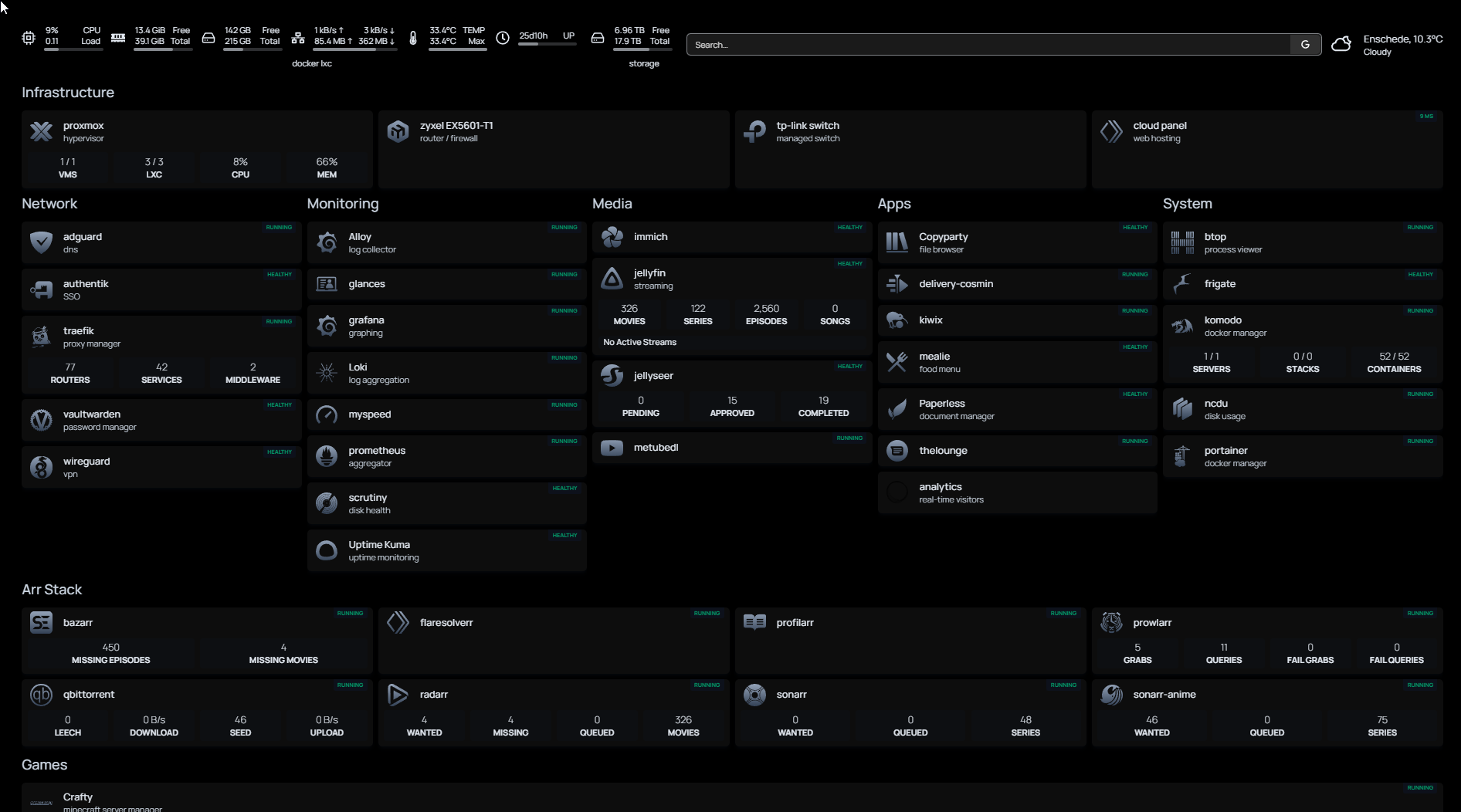
The full rollout across 35 services took about an hour of .env file updates and compose redeploys once the middleware was working. The pattern is now:
- Add the
authentikmiddleware to a service's HTTPS router by adding one label - Redeploy the service
- Done – the service is now behind SSO
Because of the YAML anchor pattern I'd already built, I could have templatized the middleware into the shared Traefik labels block so every service got it by default, but I chose not to – having it be an explicit per-service opt-in means I can see at a glance which services are protected just by grep-ing for the label. For a client with a stricter "everything behind SSO unless specified otherwise" policy, templatizing it into the shared anchor would be the right choice.
Some concrete wins:
- One login, one day. Opening any internal tool in a fresh browser session is one login, and then everything for the rest of the day. No per-service password prompts.
- Password hygiene improved. The individual services still have their own local admin accounts (for break-glass access if Authentik ever breaks), but I don't use them day-to-day. Effectively, the only password I type regularly is my Authentik one, and that one can be as long as I want and managed in Vaultwarden.
- User provisioning is centralized. If I wanted to give someone access to a specific service, I'd add them to Authentik once, grant them the right group, and they'd have access to exactly the services that group's policies allow. Without SSO, adding a new user meant creating accounts in every application separately – tedious and error-prone, which usually means people don't bother and end up sharing credentials.
- Audit trail. Authentik logs every login, every failed attempt, every session. If I ever needed to answer "who accessed what and when," the data is in one place.
For a business, the last point is the big one. Compliance frameworks (ISO 27001, SOC 2, NIS2 for Dutch companies, AVG for personal data handling) essentially require centralized identity and audit logging. "We have SSO with logging" is one of the questions on every security questionnaire. Adding it retrofit across an existing internal-tools fleet is exactly the kind of project that's both high-value and rarely prioritized – which makes it a good engagement to pitch.
What I'd do differently
Test in incognito from the start. The 20 minutes I lost to stale cookies would have been zero minutes if my first debug step had been "open a private window." I now have this as an automatic reflex for any auth-related bug.
Document the outpost router as its own labeled chunk. The HostRegexp router that catches the callback path is the single most important and least obvious piece of the whole setup. I'd put it in its own clearly-commented section in the compose file, with a comment like # Catches /outpost.goauthentik.io/ on every subdomain – DO NOT DELETE – because six months from now when someone else (or future-me) is editing the Authentik compose, that router looks weird and deletable until you know what it does.
Plan the OIDC migration early. I did forward auth first because it was faster to roll out, and I migrated Grafana to OIDC afterwards. Doing it the other way around – starting with native OIDC on the services that support it, then using forward auth as the fallback only for the rest – would have been cleaner because I'd have had fewer middleware-related edge cases to debug. For a client, I'd assess each service first ("does it support OIDC? if yes, configure it natively; if no, use forward auth") and roll out in that order.
Tech stack
Authentik (server + worker + Postgres + Redis, via their official compose), Traefik v3 (with the forward auth middleware and the HostRegexp outpost router), Cloudflare DNS challenge for TLS, Brevo SMTP for Authentik's password reset emails, and the standardized Docker Compose pattern across 35 services. The full compose stack is in the lab repo.
The takeaway for client work
Identity is infrastructure. Most internal tool sprawl at SMBs comes from nobody owning "how do people log into things" as a deliberate design decision – each new tool gets its own login because that's the default, and a year later there are twelve passwords per person, no audit trail, and a compliance gap waiting for its first auditor.
Adding SSO retrofit to an existing fleet of internal tools is the kind of project that sounds intimidating – "I have to touch every service" – but is actually quite scoped once the patterns are in place. Authentik + Traefik forward auth is my default recommendation for teams running self-hosted or SMB on-prem infrastructure. For teams on Azure AD, Okta, or Google Workspace, the same patterns apply with slightly different tooling – the principles don't change.
If your team has a growing pile of internal tools with different logins, or a "we should really get SSO in place" item that's been on the backlog for six months, I can help. Typical engagement: audit existing services, pick the identity layer (Authentik for self-hosted, existing IdP for cloud), design the domain/session model, roll out service by service with no downtime, document the patterns for future services. Roughly two to four weeks depending on the number of services.