
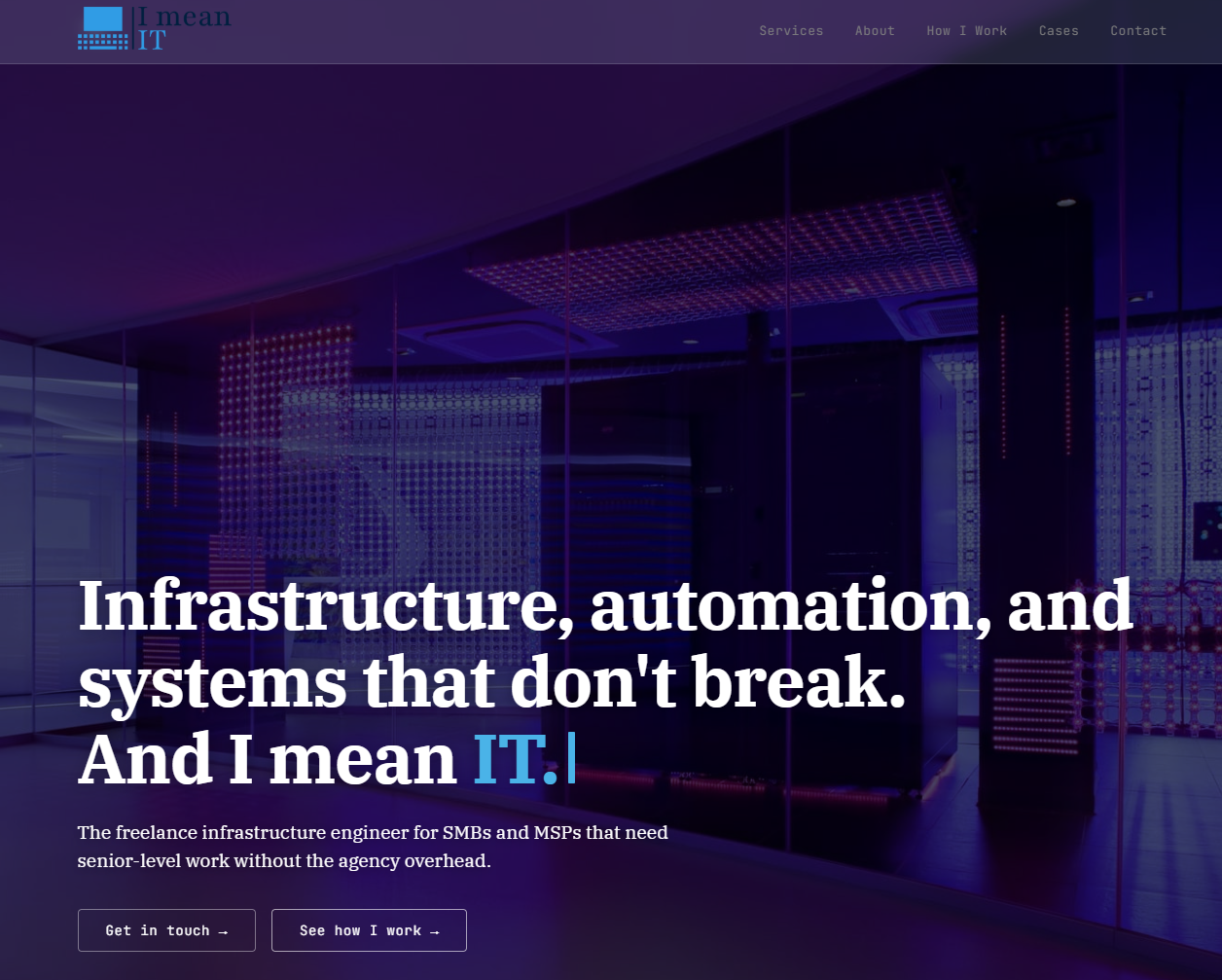
When I registered I mean IT as a ZZP, I had to decide how to handle the standard "small business needs a web presence" stack: website, professional email, analytics, backups, the basics. The easy path was a Squarespace subscription, a Google Workspace seat, and a few clicks later everything would be running on someone else's infrastructure for about €30–50 a month in recurring fees.
I did not take the easy path. Partly because I'm the kind of engineer who wants to understand what's under the hood of everything I use, partly because "small business infrastructure on a VPS I control" is exactly the kind of work I'd like to sell to other small businesses, and partly because I was curious whether the self-hosted version could actually match the convenience of the managed version.
This is what I ended up building, why each piece exists, and what I'd genuinely recommend to a client in the same situation.
The requirements
Before any tool discussion, the requirements list:
- A professional website with pages, a blog/content area (because case studies like this one need to live somewhere), good typography, mobile-friendly, customizable theme. Not just a landing page – something I can grow into.
- Professional email on the business domain.
[email protected]and[email protected], receivable and sendable, integrated into my existing Gmail so I don't maintain a second inbox. - TLS certificates auto-renewing, because I'm not going to remember to do it manually every 90 days.
- HTTPS-everywhere, redirects for both
wwwand apex, modern security headers, A-grade on SSL Labs. - Analytics that's privacy-respecting – no Google Analytics, no third-party cookies, no cookie banner required.
- Backups of content and database, automated, retained for at least two weeks.
- No recurring SaaS fees beyond existing domain registration. The whole thing should cost less per year than the Squarespace + Workspace combo would cost per quarter.
- Room for a second site on the same infrastructure, because I also have hexie.dev as my personal site.
The stack
What I converged on, top to bottom:
Host: The relevant context – I already had a Proxmox host running 24/7 in my home before I started I mean IT. The hardware is unremarkable – a Ryzen 5 1600 with 40GB of RAM, ZFS on an NVMe root, and 18TB of spinning disk for media and backups. Nothing exotic, nothing recent. It runs my entire homelab (40+ self-hosted services across a dedicated Docker LXC) plus some Proxmox-native VMs for things that don't fit cleanly into containers.
I chose self-hosting for two specific reasons:
The marginal cost was actually zero. Not metaphorically – literally. The Proxmox host has plenty of spare CPU and RAM for two lightweight Ghost instances, the ZFS pool has terabytes of free space, and the box runs whether I add the websites or not.
It was a business in a domain I want to sell services in. "I host my own infrastructure on hardware I built and maintain myself" is a credible thing to say to a potential client looking for an infrastructure freelancer. "I clicked a button on Hetzner" is also fine, but it's not differentiating.
For most freelancers, neither of those reasons would apply. Either they don't already run a home server, or their business isn't infrastructure-related. In that case, the right answer is almost certainly to rent a VPS or use a managed platform – the trade-offs swing the other way. I'll come back to this in the "what I'd recommend to a client" section, because the honest answer is it depends, and the freelancer who tells you otherwise is selling their own preference, not your interest.
CloudPanel as the server management layer. CloudPanel is a free, open-source hosting control panel for Linux – think of it as "cPanel for people who like nginx and don't want PHP everywhere." It handles the nginx config generation, Let's Encrypt certificate issuance and renewal, per-site SSH and SFTP accounts, and basic system monitoring. It's not as feature-rich as cPanel, but it's well-designed, doesn't try to own every aspect of your server, and lets you drop down to raw config when you need to.
Ghost CMS as the content platform. Ghost is an open-source, Node-based CMS built specifically for publications – blogs, newsletters, and content-heavy sites. It's not a general-purpose framework like Drupal or WordPress; it's opinionated about what it does well (writing, publishing, theming, memberships) and deliberately limited elsewhere. The trade-off is worth it: Ghost is dramatically simpler to maintain than WordPress, much faster out of the box, and the theme development experience is pleasant (Handlebars templates, clean asset pipeline). Two Ghost instances, one per site, both running behind CloudPanel's nginx.
Custom Ghost themes per site, hand-written in HTML/CSS/JS. I didn't want a generic "freelancer theme" and I wanted the sites to have genuine visual identity. Writing custom themes in Ghost is straightforward – the templating is Handlebars, the styling is whatever you want, and Ghost's content API handles the data layer. Total effort per site: a couple of evenings of focused work, resulting in themes I fully own and can modify infinitely.
Cloudflare in front of everything. DNS (with fast propagation and free DNSSEC), proxy mode for DDoS protection and basic WAF, free TLS between Cloudflare's edge and visitors, and – most importantly for this stack – Cloudflare Email Routing for the email receiving side. More on that in a moment.
Brevo (formerly Sendinblue) for outbound SMTP. Brevo's free tier allows 300 transactional emails per day, which is vastly more than a small business sends, and the SMTP integration works with anything. They handle the deliverability work (IP reputation, feedback loops, warm-up) that self-hosted SMTP would require weeks to set up properly. For a small business that just needs to send contact-form replies, password resets, and the occasional transactional email, Brevo's free tier is plenty.
Gmail as the actual inbox I read. Both [email protected] and [email protected] route through Cloudflare Email Routing to my personal Gmail, and Gmail's "Send mail as" feature lets me reply from those addresses using Brevo's SMTP relay. The result: one inbox, two business identities, zero maintenance, full deliverability.
Tinybird for analytics. Tinybird's web-analytics-starter-kit is a free, self-hostable, cookieless analytics system that ingests events via a tiny JS snippet, stores them in ClickHouse, and surfaces a dashboard. Privacy-respecting by default (no personal data, no cookies, no cross-site tracking), doesn't require a cookie banner, and gives you the essential metrics (sessions, top pages, referrers, device types) without the Google Analytics baggage.
The architecture, end to end
Here's how a request from a visitor in Amsterdam reaches imeanit.nl and back:
- DNS resolves through Cloudflare. Cloudflare returns the IP of my home internet connection – a fixed IP from my Dutch ISP, Odido. (Yes, the same Odido that had the data breach at the beginning of 2026, it's a reminder that "your ISP" is part of your threat model whether you think about it that way or not.)
- The request hits my MikroTik router, which has port 80 and 443 forwarded to a single LXC container running on Proxmox.
- That LXC runs CloudPanel, an open-source server management panel that handles nginx config generation and Let's Encrypt certificate issuance. CloudPanel's nginx terminates the TLS connection using a Let's Encrypt cert it issued and auto-renews, then proxies the request based on the
Hostheader –imeanit.nltraffic to one Ghost instance running locally inside the LXC,hexie.devtraffic to another. - For services that don't live in the CloudPanel LXC – anything in the homelab Docker stack – CloudPanel proxies the request one more hop, to Traefik running in the Docker LXC at a different IP on my internal network. Traefik then routes to the actual container. So a request for
frigate.pulosu.hexie.deventers CloudPanel's nginx, gets forwarded to Traefik, gets forwarded to the Frigate container, and the response chains back the same way. - The actual page is rendered by Ghost (Node.js, running inside the CloudPanel LXC), using a custom theme I wrote from scratch in Handlebars/CSS. Static assets get long cache headers and are cached aggressively at the browser level.
The architecture is essentially two layers of reverse proxy – CloudPanel's nginx as the public-facing layer that owns the certificates and the canonical hostname routing, and Traefik as the internal layer that owns the dynamic service discovery from Docker labels. This sounds wasteful (and it slightly is, in terms of latency – every request makes one extra hop), but the separation of concerns is genuinely useful: CloudPanel handles the boring "TLS, SNI, public hostnames" layer with a polished UI, and Traefik handles the dynamic "services come and go from Docker, route to whichever ones are running" layer with no manual config. Each tool does what it's good at.
For email, a separate flow that has nothing to do with my Proxmox host:
- Inbound mail to
[email protected]and[email protected]is handled entirely by Cloudflare Email Routing, which I configured to forward both addresses to my personal Gmail. My home server doesn't run a mail server at all – Cloudflare's MX records point to their infrastructure, and the routing happens at their edge. - Outbound mail from those addresses goes through Brevo's SMTP relay (formerly Sendinblue), configured in Gmail's "Send mail as" feature. When I reply to an email that came in to
[email protected], Gmail sends the response through Brevo, signed with a DKIM key that's published in my DNS at Cloudflare. The recipient sees a properly authenticated email from my business address. - DKIM, SPF, and DMARC records in Cloudflare DNS authenticate everything, so emails land in inboxes rather than spam folders. I'd estimate 90% of "self-hosted email is hard" complaints come from people who skipped this step.
The split between "website on my own hardware" and "email on someone else's edge" is intentional. Self-hosting email is genuinely difficult – IP reputation, deliverability to Gmail and Outlook, spam filtering, abuse handling, the constant fight against blacklists. Brevo and Cloudflare each do one piece of the email problem and they do it well.
The DKIM/DMARC setup that matters
One detail that separates "professional email that works" from "professional email that lands in spam folders" is authentication records – SPF, DKIM, and DMARC DNS entries that prove to receiving mail servers that a message genuinely came from your domain.
For the imeanit.nl setup:
- SPF record:
v=spf1 include:spf.brevo.com ~all– tells recipients that Brevo is authorized to send mail on behalf of imeanit.nl. - DKIM: Brevo provides a signing key; add the corresponding public key as a CNAME record in Cloudflare DNS. Every email Brevo sends is cryptographically signed, and receivers can verify the signature against the DNS record.
- DMARC:
v=DMARC1; p=quarantine; rua=mailto:[email protected]– tells receivers what to do with emails that fail SPF/DKIM (quarantine them) and where to send aggregate reports.
Without these records, your email will work but will land in spam folders for Gmail recipients, Microsoft 365 recipients, and essentially everyone who takes email authentication seriously – which is now most of the internet. With these records, email deliverability becomes a non-issue. It's the kind of setup step that takes 15 minutes and saves you from a class of bugs that would otherwise take days to notice and diagnose.
The nginx details worth knowing
CloudPanel generates per-site nginx vhost files automatically, but they're worth understanding and occasionally customizing. The generated vhost for a Ghost site looks approximately like:
- A
serverblock listening on port 80 that redirects all HTTP to HTTPS - A
serverblock listening on port 443 with the Let's Encrypt certificate, proxying/to the Ghost instance on a localhost port - A separate
serverblock for thewwwvariant that 301-redirects to the canonical apex domain
For the canonical setup, I added a couple of things CloudPanel's defaults don't include:
- Security headers in the HTTPS server block:
Strict-Transport-Security(HSTS),X-Content-Type-Options: nosniff,X-Frame-Options: SAMEORIGIN,Referrer-Policy: strict-origin-when-cross-origin, and aPermissions-Policydenying camera/microphone/geolocation. These get you an A+ rating on securityheaders.com, which isn't load-bearing for the business but is a nice signal to any security-conscious visitor who happens to check. - Static asset caching for CSS, JS, images, and fonts served from Ghost, with 30-day browser cache and
Cache-Control: public, immutable. Makes repeat visits feel instant. - Explicit ACME challenge handling at the HTTP level for Let's Encrypt certificate renewal, independent of the main HTTPS-redirect logic. Ensures cert renewals never fail due to redirect loops.
None of this is strictly necessary for the site to work, but the differential between "default" and "properly configured" nginx is exactly the kind of detail that separates a good infrastructure setup from a mediocre one. For client work, I'd treat this as standard delivery on every hosted site.
What's good about this setup
A few things that work well, in order of how much they matter:
The cost is genuinely zero. No VPS rental, no managed-platform fees, no Workspace seats. The only recurring costs are the domain registrations (~€15/year for .nl, ~€20/year for .dev) and a Brevo account that stays comfortably inside the free tier. Two business-grade websites with professional email cost me about €35/year in actual cash outflow.
I have full control over every layer. When I want to tune nginx security headers, I edit the vhost. When I want to write a custom Ghost theme, I write a custom Ghost theme. When I want to add a self-hosted analytics layer (Tinybird's web-analytics-starter-kit, currently set up for hexie.dev only), I just do it. There's no platform owner above me with feature toggles I can't access.
The infrastructure is the product, in the marketing sense. When a prospect asks "what kind of infrastructure work do you actually do," I can point at my own running setup and say "this site you're reading right now is on a Proxmox host I built myself, behind a custom nginx config, with a hand-written Ghost theme." That's a more credible answer than "I have certifications."
Backups are part of the existing system. The Proxmox host already has a daily backup script that dumps databases, configs, and content to the ZFS pool, with 14-day retention. Adding the Ghost data to that script was a one-line addition. ZFS snapshots provide additional fast rollback for accidental changes.
Privacy is structurally correct. No data about my visitors is sent to Google Analytics, Facebook Pixel, or anywhere else outside my infrastructure (other than the brief moment Cloudflare proxies the request, which I accept as the trade for DDoS protection and edge caching). The only third-party services that touch the data are ones I specifically opted into and can audit.
What's not good about this setup
This is the part I want to be honest about, because pretending self-hosting at home has no downsides would make this whole case study less useful.
There's no real disaster recovery yet. This is the big one. If my house loses power, the site goes down. If my home internet goes down, the site goes down. If a hardware component in the Proxmox host fails, the site goes down until I can replace the part. My "DR plan" is "I have ZFS snapshots and offsite backups of the data, so I can restore eventually if the hardware dies, but I'd be looking at hours of downtime in the best case and a day in the worst case." For a personal site or a freelancer's marketing site, that's acceptable. For an e-commerce business losing revenue per minute of downtime, it would be a disaster. I'm planning to address this when I migrate the homelab to k3s – at that point I'll have real replication primitives, and I'll likely rent a small VPS that holds a hot standby of the business sites and gets promoted automatically (or close to it) if the home infrastructure goes down. That's the right architecture for "I want self-hosting most of the time but I want a fallback for when my house has problems."
My home internet is part of the threat model. I have a fixed IP from Odido, which is great because it means no dynamic DNS workarounds and no IP changes during a CGNAT shuffle. But it also means my home's WAN address is publicly known and tied to my server. If Odido ever has another data breach (or a routing issue, or a planned maintenance window), my sites are affected. Cloudflare in front mitigates the exposure (visitors hit Cloudflare's edge, not my home directly) but doesn't mitigate the availability (if my home is offline, Cloudflare can't fetch fresh content from origin). For a freelancer site this is fine; for a critical business application it would be a problem.
My home electricity is part of the threat model. If the power blinks, the host hard-resets. ZFS handles unclean shutdowns well, but the LXCs and Docker stack still need a few minutes to come back up cleanly.
Maintenance is still my responsibility. Renting a managed platform means someone else handles OS updates, security patches, and "the underlying infrastructure didn't randomly break overnight." I do all of that myself. It's not a lot of work – Proxmox is pretty stable – but it's not zero work, and if I ever stopped maintaining it, the sites would slowly accumulate drift and eventually break.
The proxy chain adds latency. Two layers of reverse proxy on the same physical machine adds maybe 5-10ms per request. Imperceptible for most uses, but not free. A simpler architecture (Ghost directly behind a single nginx, no Traefik in the middle) would be marginally faster – but it would also mean managing two separate nginx setups, which is its own maintenance burden.
It's only economical because the server already exists. If I had to buy and run a Proxmox host purely for the websites, the math would change completely. The hardware would cost €500+, the electricity would be €15-30/month, and the maintenance time would be the same. At that point a €5/month VPS is dramatically cheaper and significantly less work. The whole "marginal cost is zero" argument depends on the server existing for other reasons.
What I'd recommend to a client
This is where the case study turns into actual advice, because the technical setup above isn't the point – the decision framework is.
I don't have a default answer. When a client asks me "should I host my website on my own infrastructure or rent a VPS or use a managed platform?", I genuinely think it depends, and I'll happily build any of the three for them depending on which fits their situation. The freelancer who only ever recommends one answer is selling their own comfort zone, not the client's interest.
Here's how I actually think about it:
Self-hosting (on hardware the client owns) is the right answer when:
- They already run server hardware for other reasons (they have an office IT setup, a homelab, a workshop with a rack)
- They have technical staff who can handle outages and maintenance
- Their use case tolerates occasional downtime (marketing site, internal dashboard, low-traffic blog)
- They genuinely care about data sovereignty for legal or philosophical reasons
- They want to learn and build infrastructure skills internally
Renting a VPS is the right answer when:
- They want full control over the stack but don't want to own hardware
- They need 24/7 uptime with reasonable SLAs
- They're outside Europe and want their server in a specific region
- They have moderately technical staff but no facility for physical hardware
- The traffic is high enough that home bandwidth would be a bottleneck
Managed platforms (Vercel, Netlify, Squarespace, WordPress.com) are the right answer when:
- The team has zero infrastructure capability and doesn't want to build any
- The site is content-heavy with no custom backend logic
- Vendor lock-in is acceptable in exchange for zero maintenance
- The cost of an outage is high enough to want someone else's on-call rotation
- Time-to-launch matters more than long-term flexibility
For most Dutch SMBs that come to me with a "we need a website" request, the honest answer is one of the second two. Self-hosting only makes sense for businesses that already have the infrastructure and the operational appetite – which is a small but real subset.
What I sell, regardless of which path we pick: the setup work, the configuration, the security hardening, the documentation, and the handoff. Whether the underlying hardware is theirs or someone else's matters less than getting all the pieces (web, email, DNS, certificates, backups, monitoring, security headers) configured properly and documented well enough that someone else could maintain it when I'm gone.
What I'd do differently
I'd set up the offsite hot standby earlier. The plan to add a small VPS that mirrors the home setup is the right one, but I've been waiting for the k3s migration to do it cleanly. Realistically, I could have done a simpler version much earlier – even just a periodic Ghost export to a free Vercel deployment as a static read-only fallback. Something is better than nothing, and "waiting for the perfect architecture" is how good defensive measures get postponed indefinitely.
I'd document the proxy chain better in the homelab repo. The two-layer nginx -> Traefik flow is one of those things that's obvious when you're inside it and confusing when you're not. Six months from now when I need to debug why a specific service isn't routing, I'd rather have a clear diagram in the README than have to reverse-engineer my own setup from compose files.
Tech stack
Proxmox VE on bare metal (Ryzen 5 1600, 40GB RAM, ZFS on NVMe, 18TB HDD pool), CloudPanel LXC for the public-facing nginx and Ghost instances, separate Docker LXC for the homelab services (with Traefik as the internal layer), Ghost CMS with custom hand-written themes, MikroTik router for port forwarding from the home WAN, fixed IP from Odido, Cloudflare for DNS / proxy / Email Routing / TLS to the edge, Let's Encrypt for origin certificates managed by CloudPanel, Brevo SMTP for outbound mail, Gmail with "Send mail as" for the inbox experience, daily backup script with 14-day retention to the ZFS pool.
The takeaway for client work
The interesting thing about hosting decisions is that the "right answer" depends almost entirely on the business – and surprisingly little on the technology. Two businesses with identical website requirements can have completely different optimal setups because one has on-call staff and one doesn't, or one has predictable traffic and one has spiky traffic, or one cares about EU data residency and one doesn't.
I take no side on self-hosted versus VPS versus managed. I'll happily build any of them for a client depending on what fits their actual situation, their actual budget, and their actual risk tolerance. The skill I'm offering isn't "I prefer this stack" – it's "I can help you figure out which stack you should prefer, and then build it properly with the security headers, backups, monitoring, and handoff documentation a real production setup needs."
If you're trying to decide where to host your business website, or if you're stuck with a setup that doesn't quite fit your needs, let's talk. I'll give you an honest opinion before I quote you any work.